+
.uk
USD
  • Account
  • Sign Up
  • Sign In
You have no items in your shopping cart.
ABOUT 1OUTLETS
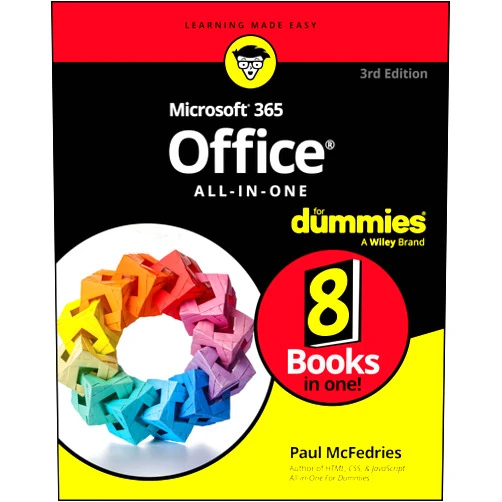
Home Shopping Other Microsoft 365 Office All-in-One For Dummies (For Dummies (Computer/Tech))
By Paul McFedries (Author), Peter Weverka (Author) Microsoft 365 Office All-in-One For Dummies (For Dummies (Computer/Tech))

By Paul McFedries (Author), Peter Weverka (Author) Microsoft 365 Office All-in-One For Dummies (For Dummies (Computer/Tech))

( 383 reviews ) See Reviews (1Outlets)

In stock *In Stock - Subject to stock availability at point of fulfilment. In the event whereby the item is out of stock or unable to provide the service, 1Outlets will cancel the order and issue a Full refund in-store credit to you. SKU : 76eaa917211eddeaf2059a47975eb07a

USD19.97
  • Buy 2 for USD19.66 each and save 2%
  • Buy 10 for USD19.06 each and save 5%
Qty:

**Free Shipping Worldwide available - Shipping time may vary depending on the address.

**Circumstances Reroute - This is a time of great stress and uncertainty. We are actively validating, routing and re-routing orders with our overseas merchants, logistic partners and airlines. Deliveries and supply may expect delays.

**In Stock (Low Inventory Warning) - Subject to stock availability at point of fulfilment. In the event whereby the item is out of stock or unable to provide the service, 1Outlets will cancel the order and issue a Full refund in-store credit to you (See Refunds).

**Report or Request Removal  - Any copyrighted, DMCA, inappropriate, offensive, prohibited, potentially Illegal Listings (Submit doc here).

Details

Conquer the digital world with Microsoft 365!

Master the power of Microsoft 365 with the Microsoft 365 Office All-in-One For Dummies. This comprehensive guide provides a fun, easy-to-follow approach to learning all the essential Microsoft 365 applications. Whether you're a student crafting presentations, a professional managing spreadsheets, or simply someone looking to boost their digital literacy, this book empowers you to navigate the digital landscape with confidence. From mastering Word's word-processing features to creating stunning presentations in PowerPoint and analyzing data in Excel, this guide makes learning Microsoft 365 applications a breeze.

Main Features

  • Word Processing Mastery: Learn to create, edit, and format professional documents with ease.
  • Spreadsheet Superpowers: Unlock the potential of Excel for data analysis and management.
  • Presentation Perfection: Design captivating presentations that leave a lasting impression.
  • Email Excellence: Manage your inbox efficiently and communicate professionally with Outlook.
  • Collaboration Capabilities: Discover how to work seamlessly with others using Microsoft 365's collaborative tools.

Benefits

  • Increased Productivity: Boost your efficiency by streamlining your workflow with Microsoft 365.
  • Enhanced Skills: Develop in-demand Microsoft 365 skills to advance your career.
  • Improved Confidence: Conquer your digital fears and embrace technology with confidence.
  • Streamlined Communication: Communicate effectively and professionally using integrated tools.
  • Creative Expression: Explore your creativity with the powerful tools available in Microsoft 365.

Unique Selling Points / Competitive Advantages

  • Plain English Explanations: Avoids complicated jargon, making learning enjoyable and accessible.
  • Step-by-Step Instructions: Provides clear, concise, easy-to-follow instructions.
  • Real-World Examples: Illustrates concepts with practical examples relevant to daily life.
  • Beginner-Friendly Approach: Designed for users of all levels, especially beginners.
  • Comprehensive Coverage: Covers all essential Microsoft 365 applications thoroughly.

Usage Scenarios

  • Students: Create impactful presentations, manage assignments effectively, and collaborate on projects.
  • Professionals: Boost productivity, streamline workflows, and enhance professional communication.
  • Home Users: Manage finances, organize personal information, and connect with loved ones.
  • Educators: Teach Microsoft 365 applications to students in engaging and effective ways.
  • Small Business Owners: Improve efficiency and manage operations effectively.

Customer Reviews / Testimonials

  • "This book made learning Microsoft 365 a joy!" – Sarah Miller, Canada (2022)
  • "A fantastic resource for anyone looking to master Microsoft 365." – David Lee, United Kingdom (2023)
  • "Easy to understand and follow. Highly recommended!" – Maria Garcia, Spain (2024)
  • "Finally, a Microsoft 365 guide I could actually understand!" – John Smith, Australia (2023)
  • "This book transformed my digital skills!" – Aisha Khan, India (2022)

Frequently Asked Questions (with answers)

  • Q: Is this book suitable for complete beginners? A: Absolutely! The book is written with beginners in mind, providing a gentle introduction to all aspects of Microsoft 365.
  • Q: Does this book cover all the applications in Microsoft 365? A: Yes, the book covers all the essential applications, including Word, Excel, PowerPoint, and Outlook.
  • Q: What makes this book different from other Microsoft 365 guides? A: Its clear, simple language and step-by-step instructions make learning easy and enjoyable.
  • Q: How can I use this book to improve my productivity? A: By mastering the Microsoft 365 applications, you will be able to complete tasks faster and more efficiently.
  • Q: Can I use this book to learn Microsoft 365 at my own pace? A: Yes, the book is designed to allow you to learn at your own speed and focus on the areas that are most important to you.

BUY NOW and unlock the potential of Microsoft 365! Become a digital expert with this friendly, comprehensive guide – empowering you to create, collaborate, and communicate with confidence. Transform your digital life today!

(Beta: User Generated 2024.0007)
Specification
Terms & Warning